
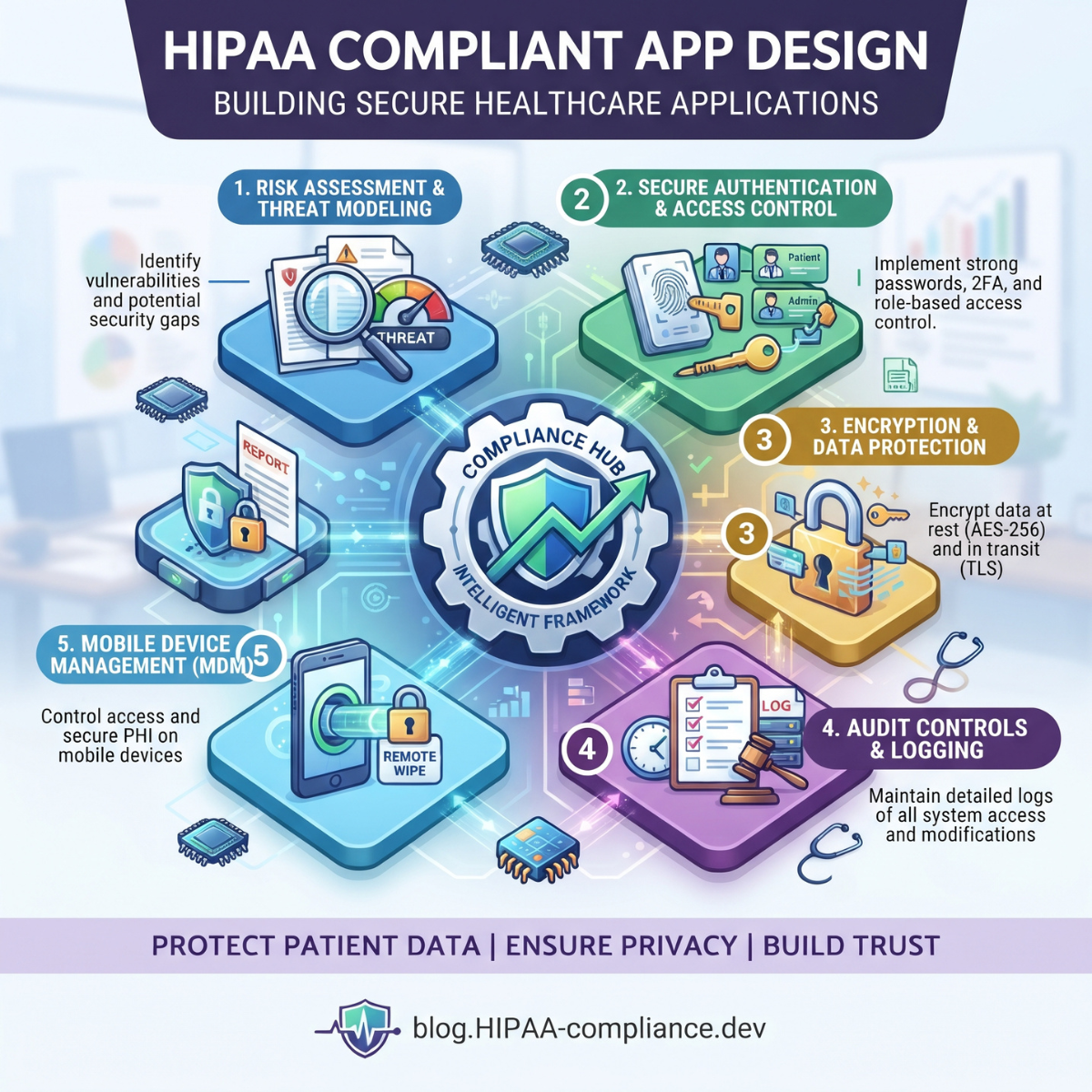
Healthcare applications are changing how medical organizations deliver services, communicate with patients, manage records, and process healthcare information.
Patient portals allow individuals to view laboratory results. Telehealth platforms support remote consultations. Mobile applications help patients manage appointments, prescriptions, and medical bills.
However, these applications often handle highly sensitive information.
A poorly configured API, unsecured database, weak authentication system, or unauthorized third-party integration can expose patient records and create serious privacy and security risks.
That is why HIPAA-compliant app design must be considered throughout healthcare software development.
Building a secure healthcare application involves much more than adding a login page or encrypting a database.
Developers must understand the application's regulatory responsibilities, identify where patient information moves, implement appropriate safeguards, and establish procedures for maintaining security after deployment.
They must also design interfaces that help authorized users access information without unnecessary obstacles.
This guide explains the essential principles, technical controls, development stages, and compliance considerations involved in designing healthcare applications for the U.S. market.
What Is HIPAA-Compliant App Design?
HIPAA-compliant app design refers to developing healthcare applications that support applicable requirements under the Health Insurance Portability and Accountability Act.
HIPAA establishes protections for certain health information handled by covered entities and business associates.
Three major HIPAA rules are especially relevant to application development.
HIPAA Privacy Rule: Governs permitted uses and disclosures of protected health information and establishes important individual rights.
HIPAA Security Rule: Requires appropriate administrative, physical, and technical safeguards for electronic protected health information.
HIPAA Breach Notification Rule: Establishes notification responsibilities following certain breaches of unsecured protected health information.
These requirements affect technical architecture, data storage, authentication, access management, vendor relationships, and operational procedures.
An important distinction is that HIPAA does not prescribe a single software architecture or certify individual applications.
A secure design must support the regulated organization's responsibilities within its actual operating environment.
1. Determine Whether HIPAA Applies to Your App
The first stage of healthcare app development is establishing whether HIPAA applies.
Not every application that collects health-related information is covered by HIPAA.
HIPAA generally applies to covered entities and their business associates.
Covered entities include certain healthcare providers, health plans, and healthcare clearinghouses.
A business associate may be a software company that creates, receives, maintains, or transmits protected health information on behalf of a covered entity.
For example, a technology company developing and hosting a patient portal for a medical practice may qualify as a business associate.
However, an independent wellness application collecting information directly from consumers may fall outside HIPAA.
Other laws, including the FTC Health Breach Notification Rule or applicable state health privacy laws, may still apply.
Design action: Document the application's customers, services, data sources, intended disclosures, and legal relationships before selecting infrastructure or vendors.
2. Identify the Protected Health Information Your Application Handles
Protected health information, or PHI, generally includes individually identifiable health information held or transmitted by a covered entity or business associate, subject to applicable exclusions.
Electronic PHI is the subset maintained or transmitted electronically.
Examples may include:
- Patient identities connected with medical information
- Medical record numbers
- Diagnoses and treatment records
- Prescription histories
- Laboratory results
- Appointment information
- Insurance information
- Patient billing records
Developers should not assume that PHI exists only in the primary patient database.
It may also appear in exported files, API requests, notifications, application logs, analytics platforms, and backups.
Design action: Create a PHI inventory showing what information is collected, why it is required, and which application components process it.
This inventory becomes the foundation for access controls, data protection, vendor assessment, and retention policies.
3. Map the Complete Healthcare Data Flow
A secure architecture begins with understanding how information moves through the application.
Consider a patient portal integrated with an electronic health record system.
The patient signs in, requests laboratory results, and receives information from an authorized backend service.
That information may travel between an identity provider, application server, EHR integration service, and database.
Each connection creates security responsibilities.
A typical architecture might follow this path:
Patient or Clinician → Authentication Service → Application Backend → Authorization Check → Approved EHR API → Protected Data Store
Supporting services may include audit logging, monitoring, and secure backups.
However, the actual design must show where PHI enters, crosses security boundaries, is temporarily stored, and leaves the system.
Design action: Produce a data-flow diagram that identifies trust boundaries, external vendors, databases, mobile storage, and all pathways carrying sensitive information.
4. Conduct a HIPAA Security Risk Analysis
A security risk analysis is a central requirement under the HIPAA Security Rule for regulated organizations.
It examines potential risks and vulnerabilities affecting the confidentiality, integrity, and availability of ePHI.
For application development, relevant threats may include account takeover, unauthorized API access, cloud misconfiguration, compromised mobile devices, and accidental disclosure through external services.
Risk analysis should consider both technical weaknesses and operational practices.
For example, a secure database provides limited protection if employees routinely share administrator credentials.
The assessment should identify the likelihood and potential impact of relevant risks and inform appropriate safeguards.
Design action: Create a documented risk register with each threat, affected system, existing controls, required remediation, and responsible owner.
Reassess risks when major integrations, technologies, or workflows change.
5. Build Privacy Into the Application Architecture
Privacy by design means considering information protection during product planning rather than adding it after development.
Every feature should have a documented purpose for collecting or displaying sensitive information.
For example, an appointment scheduling screen may need a patient's identity and preferred appointment time.
It usually does not need to display an entire medical history.
Similarly, an internal billing dashboard may require claim details without unrestricted access to unrelated clinical notes.
HIPAA's minimum necessary standard generally requires reasonable efforts to limit certain PHI uses, disclosures, and requests to what is needed for the intended purpose.
However, important exceptions apply, including certain treatment-related disclosures and disclosures to the individual.
Design action: Review every major feature for unnecessary PHI collection, display, transmission, and retention while respecting authorized treatment access and patient rights.
6. Implement Strong Authentication
Authentication establishes whether a person or system attempting to access an application is the identity it claims to be.
Healthcare applications should use authentication appropriate to the sensitivity of their information and the risks identified.
Useful capabilities include secure credential handling, protected password recovery, suspicious login detection, and multifactor authentication.
MFA adds another factor beyond a password and is a strong security practice.
Phishing-resistant methods such as appropriately implemented passkeys or security keys can provide additional protection.
However, the currently effective HIPAA Security Rule does not universally require one specific MFA method for every application login.
Authentication decisions should account for the organization's requirements and risk analysis.
Design action: Implement secure login and recovery flows, evaluate MFA, and ensure that authentication credentials and tokens are never exposed in source code or client-accessible secrets.
7. Enforce Role-Based Access Controls
Different healthcare users need different permissions.
A physician may require access to relevant clinical information.
A receptionist may need scheduling and registration information.
A billing specialist may need claims and payment details.
A patient should have access to the information that individual is authorized to obtain.
Role-based access control can organize these permissions according to responsibilities.
For complex applications, additional attributes may be necessary to evaluate patient relationships, organizational boundaries, or other access conditions.
A critical technical rule is that permissions must be enforced on the backend.
Hiding a menu or button does not prevent an unauthorized API request.
Design action: Define a permissions matrix, enforce authorization on every protected operation, and test whether users can access records outside their approved scope.
8. Protect Patient Data With Encryption
Encryption helps protect information from unauthorized disclosure when data is intercepted or storage media is compromised.
Healthcare developers should evaluate appropriate encryption for data in transit and at rest.
Transport security, such as properly configured TLS, protects communications between application components.
Encryption at rest can help protect databases, backups, and device storage.
Cryptographic keys must also be protected through appropriate management procedures.
Under the currently effective HIPAA Security Rule, encryption is classified as an addressable implementation specification.
Addressable does not mean optional or irrelevant.
Regulated organizations must evaluate whether the specification is reasonable and appropriate, implement it when appropriate, or follow the rule's documented alternative process where permitted.
Design action: Use modern cryptographic protections, centralized key management, and secure secrets storage based on documented risk decisions.
9. Design Secure Healthcare APIs
Application programming interfaces connect healthcare apps with EHR systems, laboratories, scheduling platforms, and other services.
Poorly secured APIs can expose PHI even when the user interface appears protected.
One major risk is broken object-level authorization.
For example, a patient should not be able to retrieve another patient's records simply by changing an identifier in an API request.
Each protected request must verify the user's authorization for the specific resource.
Other safeguards include input validation, secure token handling, rate limiting, request logging, and appropriate error responses.
FHIR can support structured healthcare data exchange, but using FHIR does not automatically satisfy HIPAA.
Design action: Test every API endpoint for unauthorized access, cross-account data exposure, excessive data responses, and insecure credential handling.
10. Create Privacy-Conscious UI/UX Experiences
Security must be supported by application design.
A patient dashboard may display appointments, medications, laboratory results, and messages.
An administrative dashboard may display claims, diagnoses, and patient balances.
Interfaces should present information required for legitimate tasks without unnecessary exposure.
For example, a billing employee's default dashboard may show account status without displaying complete clinical histories.
Navigation should also respect different user roles.
Designers should consider shared devices, account switching, and whether sensitive information remains visible after logout.
Design action: Use role-specific dashboards, clear permission boundaries, secure navigation, and deliberate confirmation for sensitive actions such as exporting records.
Healthcare UX should make authorized access straightforward while reducing accidental disclosures.
11. Manage Sessions and Automatic Logoff
Healthcare applications are commonly used on shared workstations and mobile devices.
If an authenticated session remains active after a user leaves, another person may gain access to sensitive records.
Session controls should reflect the application's risk profile and operating environment.
Possible safeguards include inactivity timeouts, secure logout, session revocation, and reauthentication before sensitive actions.
Automatic logoff is an addressable specification under the currently effective HIPAA Security Rule.
Therefore, organizations must evaluate its implementation rather than assume that a particular universal timeout is prescribed.
Clinical applications may also need emergency access procedures and workflows that avoid unnecessary delays in care.
Design action: Establish documented session policies and test logout, token expiration, browser navigation, and lost-device scenarios.
12. Protect Mobile Healthcare Applications
Mobile applications introduce risks involving device loss, shared devices, local storage, and notification previews.
Developers should minimize unnecessary storage of PHI on phones and tablets.
Where local information is needed, use appropriate operating-system security features and encryption.
Authentication tokens should be stored in protected credential storage rather than ordinary application files.
Other risks include clipboard exposure, background screenshots, debug logs, and cached documents.
A mobile application should also handle device access changes and account logout reliably.
Design action: Review local storage, background previews, downloaded files, app permissions, and secure recovery after device loss.
Mobile convenience should not come at the cost of uncontrolled patient data exposure.
13. Build Safe Push Notification and Messaging Features
Notifications can improve patient engagement but may disclose sensitive information.
For example, a notification revealing a specific diagnosis could appear on a locked phone visible to coworkers or family members.
A more privacy-conscious message might say:
"You have a new message in your patient portal."
This allows the patient to authenticate before viewing the details.
Designers should also evaluate email previews, SMS messages, recipient verification, and communication preferences.
HIPAA does not categorically prohibit email or text communication with patients.
Appropriate safeguards and applicable patient communication requirements still matter.
Design action: Use limited notification content by default, protect message delivery, and provide clear communication settings.
14. Choose Cloud Infrastructure and Vendors Carefully
Healthcare applications frequently depend on cloud hosting, authentication providers, email services, analytics platforms, and other vendors.
Each provider should be assessed according to the information it handles and the services it performs.
HHS explains that a cloud service provider maintaining ePHI on behalf of a covered entity or business associate may itself qualify as a business associate.
This can apply even when the provider stores encrypted information without possessing the encryption key.
Where required, an appropriate Business Associate Agreement must be established.
However, a signed BAA does not automatically make the application compliant.
Cloud infrastructure must still be configured securely.
Design action: Maintain a vendor inventory identifying service purpose, PHI access, contractual requirements, subprocessors, security controls, and ongoing review responsibilities.
15. Avoid Unnecessary PHI Exposure Through Analytics
Product analytics can help developers understand how users navigate a healthcare application.
However, analytics tools, tracking pixels, session recording, and crash reporting can expose sensitive information.
For example, an analytics event may unintentionally transmit a patient's medical record number or diagnosis to an external vendor.
Design teams should assess what each third-party component collects.
HHS has issued guidance concerning tracking technologies used by HIPAA-regulated organizations.
A federal court vacated part of the guidance relating to certain unauthenticated public webpages, so implementation decisions must reflect the current legal position.
Authenticated patient portal tracking remains an important area for privacy review.
Design action: Avoid transmitting unnecessary PHI to analytics services, inspect network requests, and review vendor obligations before deploying tracking technologies.
16. Support Patient Access and Information Sharing
HIPAA's Privacy Rule provides individuals with rights to access certain protected health information in designated record sets.
Healthcare applications can support those rights by providing appropriate record viewing, download, and request workflows.
A patient portal should clearly explain how users can obtain records and manage authorized information-sharing requests.
For covered entities, the current HIPAA access framework generally requires action on access requests within 30 calendar days, with a permitted extension under specified conditions.
An application should not make legitimate patient access unnecessarily difficult in the name of security.
At the same time, developers must account for identity verification, personal representatives, and applicable restrictions.
Design action: Provide accessible record access and secure export workflows while supporting the organization's legal and operational responsibilities.
17. Establish Appropriate Consent and Authorization Workflows
Privacy notices, ordinary consent, and HIPAA authorization are not interchangeable.
Some uses and disclosures of PHI are permitted without a specific authorization.
Others require authorization that satisfies applicable HIPAA requirements.
A generic checkbox stating "I agree" is not automatically sufficient for every disclosure.
For example, sharing medical information for certain marketing purposes may require different treatment from sharing it for permitted treatment or payment activities.
The application should clearly communicate the relevant action and obtain the required information where authorization is necessary.
Design action: Have qualified privacy and legal professionals define authorization requirements, then implement workflows that accurately reflect those decisions.
Avoid confusing or misleading consent interfaces.
18. Establish Reliable Audit Logging
Audit controls help regulated organizations record and examine activity involving ePHI systems.
An effective healthcare application should generate appropriate records of meaningful activity.
Events may include authentication, patient record access, data changes, exports, administrative permission changes, and suspicious actions.
Logs should support investigation without unnecessarily duplicating sensitive medical information.
Audit records must also be protected from unauthorized access or alteration.
For example, the system may log which authenticated employee accessed a specific record and when.
It generally should not copy the entire clinical document into the logging platform.
Design action: Define an audit event model, protect log access, document retention requirements, and establish procedures for reviewing significant activity.
Collecting logs without meaningful monitoring provides limited protection.
19. Plan Data Retention, Backups, and Disposal
Healthcare applications must handle information throughout its lifecycle.
This includes creation, active use, archiving, backup, and appropriate disposal.
Retention requirements depend on the record type and applicable laws.
HIPAA does not establish one universal six-year retention period for all medical records.
It does contain documentation retention requirements, while medical record retention may also be governed by other federal and state laws.
Developers should support applicable retention schedules and prevent accidental deletion of records that must be preserved.
Backups also require protection.
Removing information from the user interface does not necessarily delete it from archived systems.
Design action: Establish data retention rules, secure backup processes, recovery testing, and documented disposal methods.
20. Prepare for Security Incidents and Breaches
No healthcare application can eliminate every cybersecurity risk.
Organizations must prepare to detect, investigate, contain, and respond to incidents.
Potential incidents include compromised accounts, accidental disclosures, ransomware, and exposed cloud storage.
The application should provide sufficient audit and operational information to support investigation.
A security incident is not automatically a reportable HIPAA breach.
The applicable Breach Notification Rule analysis determines whether notification requirements arise.
For covered entities, required individual breach notifications generally must occur without unreasonable delay and no later than 60 days after discovery, subject to the rule's specific provisions.
Business associates have related but distinct notification obligations.
Design action: Establish incident escalation, evidence preservation, vendor coordination, containment procedures, and recovery testing.
21. Test the Application Before Launch
Security testing should be integrated into the development lifecycle.
A functional healthcare application may still contain serious vulnerabilities.
Useful testing activities include:
- Threat modeling
- Secure code review
- Dependency vulnerability scanning
- Authentication testing
- API authorization testing
- Mobile application security testing
- Infrastructure configuration review
- Penetration testing
- Backup restoration testing
- Privacy and usability testing
Testing should include realistic scenarios.
For example, verify that one patient cannot access another patient's records through a modified API request.
For multi-tenant SaaS applications, verify that users cannot cross organizational boundaries.
Tests should use synthetic or appropriately protected information.
Design action: Establish documented release criteria and require critical vulnerabilities to be addressed before production deployment.
22. A Practical HIPAA-Compliant App Development Workflow
Healthcare software development should follow a controlled, evidence-based process.
Phase 1: Regulatory and Product Discovery
Determine HIPAA applicability, identify intended users, document application features, and establish relevant privacy requirements.
Phase 2: Risk Assessment and Architecture
Map ePHI, identify vendors, conduct risk analysis, and define the security architecture.
Phase 3: UX and Workflow Design
Design authentication, user permissions, patient dashboards, notifications, data-sharing controls, and accessible workflows.
Phase 4: Secure Development
Implement backend authorization, data protection, API security, audit logging, session management, and approved integrations.
Phase 5: Testing and Validation
Perform functional, security, privacy, and recovery testing.
Document findings and corrective actions.
Phase 6: Controlled Deployment
Deploy using secure configuration and access provisioning.
Verify vendor agreements, monitoring, backups, and operational readiness.
Phase 7: Ongoing Maintenance
Review system activity, update software dependencies, reassess risks, and respond to changing requirements.
This process treats privacy and security as continuing responsibilities rather than one-time development tasks.
23. HIPAA Requirements vs Recommended App Security Controls
Product teams should distinguish the underlying regulatory requirement from the technical implementation chosen to support it.
| ControlHIPAA relationship | |
| Security risk analysis | Required Security Rule activity |
| Access controls | Required Security Rule standard |
| Unique user identification | Required implementation specification |
| Audit controls | Required Security Rule standard |
| Person or entity authentication | Required Security Rule standard |
| Encryption | Addressable specifications under the currently effective rule |
| Automatic logoff | Addressable implementation specification |
| Multifactor authentication | Strong recommended practice; evaluate applicable requirements and risk |
| Privacy-conscious notifications | Risk-reduction design practice supporting applicable safeguards |
| Penetration testing | Valuable security validation method; not a universal standalone HIPAA mandate |
| Business Associate Agreements | Required for qualifying business associate relationships |
| Secure patient record access | Supports applicable HIPAA Privacy Rule access rights |
The 2025 Security Rule modernization proposal describes potential changes to certain technical safeguards.
Until a proposed requirement becomes effective law, developers should not present it as an existing universal legal obligation.
Organizations should nevertheless evaluate strong contemporary cybersecurity controls as part of responsible risk management.
24. Common HIPAA App Design Mistakes
Several mistakes can undermine a healthcare application's security and compliance posture.
Assuming HIPAA applies to every health app: Ignores important distinctions between regulated services and independent consumer applications.
Treating cloud hosting as automatic compliance: Overlooks configuration, vendor agreements, and operational safeguards.
Relying on encryption alone: Ignores authentication, permissions, monitoring, and risk management.
Enforcing permissions only in the interface: Leaves backend resources exposed.
Sending PHI to unreviewed analytics tools: Creates unnecessary disclosure risk.
Displaying sensitive notification previews: Exposes medical information to unintended viewers.
Using production records in testing: Introduces avoidable privacy risks.
Ignoring third-party vendors: Fails to account for external processing and contractual obligations.
Failing to test account recovery: Allows strong login controls to be bypassed through weak recovery processes.
Claiming official HIPAA certification: Misrepresents the nature of HHS oversight.
These issues should be addressed through specific security controls, documented risk decisions, appropriate contracts, and continuing review.
25. HIPAA App Design Checklist Before Launch
A healthcare development team should confirm the following before production release.
Regulatory scope: HIPAA applicability and other relevant privacy obligations have been assessed.
PHI inventory: Sensitive information and all important data flows have been documented.
Risk analysis: Significant threats have been assessed, and remediation responsibilities assigned.
Authentication: Appropriate login, recovery, and identity verification controls are implemented.
Authorization: Backend permissions and tenant separation have been tested.
Data protection: Stored and transmitted information is appropriately protected.
APIs: Endpoints are authenticated, authorized, and tested.
Third parties: Vendor relationships and required BAAs have been evaluated.
Logging: Relevant activity is recorded and monitored.
Patient rights: Appropriate access and information-sharing workflows are supported.
Mobile security: Local storage, notification previews, and session handling have been evaluated.
Incident response: Investigation, containment, reporting, and recovery procedures exist.
Testing: Identified security issues have been assessed and appropriately remediated.
Operational readiness: Staff responsibilities, training, backups, and maintenance procedures are established.
This checklist supports launch planning but does not replace a complete compliance assessment.
Frequently Asked Questions
What is HIPAA-compliant app design?
It is the design and development of healthcare applications that support applicable HIPAA privacy, security, and breach notification requirements through appropriate technical and operational safeguards.
Does every medical app need HIPAA compliance?
No. Applicability depends on whether the organization is a HIPAA-covered entity or business associate and the relevant information-handling relationship. Other privacy laws may still apply.
Is encryption enough to make an app HIPAA compliant?
No. Encryption is one safeguard. HIPAA compliance may also require risk analysis, access controls, audit mechanisms, workforce procedures, vendor agreements, and incident response.
Can an app be officially HIPAA certified?
HHS does not provide a general product certification that guarantees an application's HIPAA compliance. Independent assessments do not replace the regulated organization's responsibilities.
Can developers use cloud hosting for HIPAA-regulated applications?
Yes, when the relevant HIPAA requirements are satisfied, including appropriate vendor agreements and technical and organizational safeguards.
What should developers prioritize first?
Begin by establishing HIPAA applicability, mapping PHI, conducting risk analysis, and defining the application's security architecture. Interface development should follow those foundational decisions.
How much does HIPAA-compliant app development cost?
Costs depend on application complexity, integrations, security requirements, regulatory responsibilities, infrastructure, testing, and ongoing maintenance. Reliable estimates require a defined project scope.
Final Thoughts
HIPAA-compliant app design requires a coordinated approach to healthcare software architecture, privacy, cybersecurity, user experience, and operational governance.
The process begins with understanding whether HIPAA applies and identifying the protected health information the application handles.
It continues through risk analysis, secure authentication, access controls, encryption, API security, appropriate vendor management, and privacy-conscious interfaces.
Testing, incident response, training, and ongoing maintenance are equally important.
A healthcare application should make legitimate access to patient information convenient while reducing unnecessary exposure and unauthorized activity.
The strongest HIPAA-aware applications are not built by adding security features immediately before launch. They are developed around documented privacy requirements, appropriate safeguards, and continuous risk management from the beginning.
For healthcare organizations and software developers, this approach supports safer information handling, more reliable clinical and administrative workflows, and greater trust in digital healthcare services.